don't let your design skills limit your designs

 |  |
|---|---|
 |  |
 |  |
 |  |
 |  |
 |  |
 |  |
 |  |
 |  |
 |  |
 |  |

Overview
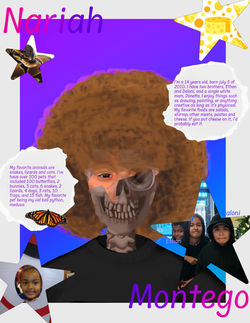
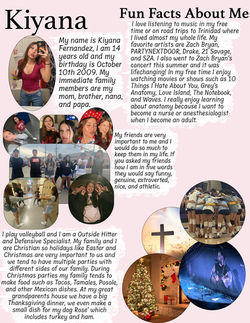
This project will be an opportunity for you to share a little bit about yourself so we can get to know our fellow designers. You will present your work at the end of the project as part of your grade. The brainstorming needs to be done before you start working on your design. Brainstorming is part of the design cycle and part of your project grade.
Objective - What is the problem I need to solve?
-
How do I create a poster that represents me using appropriate selection tools?
-
How will I explore Photoshop tools during this project like layer masks?
Project Skills
-
Correctly setup a file and save a file with the correct name.
-
You use selection tools to a high degree to remove image backgrounds
Project Requirements
-
Selection tools were used.
-
Your name needs to be used in the design.
-
Include at least five sentences that talk about you. You can write about your family, hobbies, or anything else that explains who you are.
-
Correct grammar was used throughout your writing. Use spell check and capitalize I!
-
An image of yourself needs to be on the page. Email a photo from your phone to your school Gmail account. This will need to be done outside of class times since phones can’t be out. Plan accordingly.
-
Include at least 5 other images, besides your photo. You need at least a total of 6 images, but this is bare minimum.
Project Help
Grammar Tips
-
Did you put a space after all commas and periods?
-
Did you capitalize I in your writing?
-
Did you capitalize names of people, restaurants and places?
Step 1: Brainstorming Steps
-
Create a new folder inside your Final folder and name it “About Me”.
-
Copy and paste the About Me Creative Brief into this new doc.
-
Click on Untitled Document on the top-left to name it correctly.
-
Fill in your name, capitalized, and the period at the top.
-
Complete the Creative Brief brainstorming steps.
Step 2: Project Steps
-
Create a Photoshop file 8.5x11” or 11x8.5” and 180dpi.
-
Import images correctly by following How to Save Google Images Demo if needed.
Step 3: Turn In Directions
-
If you haven’t already created a new folder in your Final folder, create one and name it “About Me”.
-
Save a Photoshop file as “lastName_About Me” by going to File>Save As.
-
Go to File>Save A Copy and change the Format to JPEG. Select the highest resolution option selected when you are saving it.
-
Upload the PSD file and JPG file to your About Me folder.
-
Upload this to your Google Drive by going to New>File Upload in your Drive. Check that your Creative Brief is also saved to this folder.
-
Complete and submit the checklist in Schoology.